 Sharetoast
Wedding photo sharing, without the app
Your guests will take hundreds of photos at your wedding, and most of them never reach you. Sharetoast collects them in one private album: guests scan the QR code on the table, add their name, and share straight from their phone. No app to download, no account to make.


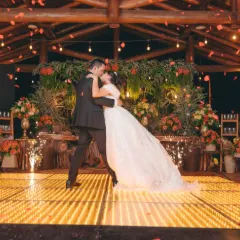
Example photos from Pexels.
How it works at a wedding
Create your album
Add your names and the date. It takes a minute, and you can try it free with a few friends first.
Put QR cards on the tables
Design a card with your photo and colors, download a one-page PDF, and print it at home or at a print shop.
Guests share as the day happens
They scan with their phone camera, add their name, and pick photos from their camera roll. Everyone sees new photos as they arrive.
Keep every photo
Download any photo, or the whole album as one ZIP file. Photos are kept for 12 months after the wedding.
Why couples use it
Every angle you missed
Getting ready, the dance floor, the table you never made it to: your guests saw it all.
Easy for every guest
No app or account, so grandparents and plus-ones join in seconds. It works on iPhone and Android.
One album, not twenty group chats
Photos land in one place instead of being scattered across texts, group chats and social media.
Private by design
Only people with your link, QR code or party code can open the album. It’s never public or in search results.
Where to put your QR code
Every table
Guests see it as soon as they sit down for dinner.
The bar and the photo booth
Where phones are already out.
The welcome sign or guest book
Catch everyone as they arrive.
Your thank-you messages
Send the album link afterwards: guests can keep adding photos for 20 days after the wedding.
When to set it up
Any time before the wedding. The free trial lets you test it with a few friends. Once you unlock the album, guests can add photos right away, before the wedding too, and until 20 days after it. If plans move, you can change the date once.
What it costs
One flat price per event
$39.99per event · one time, plus sales tax where it applies
Unlimited guests. Unlimited photos.*
- Unlimited guests. Invite everyone. There’s no guest limit and no per-guest fees.
- Unlimited photos. Guests add as many photos as they like.*
- Kept for 12 months. View and download every photo for a full year after your event.
- No app, no accounts. Guests scan the QR code, add their name, and share.
- Printable QR card. A ready-to-print card for your tables, free to print even during your trial.
- Download everything. Get every photo in one ZIP.
*Fair use applies. See the Terms of Use.
The free trial holds 25 photos from up to 10 guests for 7 days, so you can test it with friends before you pay.
Questions
Do our guests need to download an app?
No. They scan the QR code with their phone camera (or open your link, or type the party code at sharetoast.com), add their name, and upload from their camera roll.
How many guests and photos can we have?
Once the album is unlocked, unlimited guests and photos for one flat price. Fair use applies; see the Terms of Use.
Can we download everything after the wedding?
Yes: any photo full size, or the whole album as one ZIP file. Photos are kept for 12 months after the wedding.
Who can see our wedding photos?
Only you and the people with your album’s link, QR code or party code. You can remove any photo, and you can switch guest downloads off.
Will it work for guests who aren’t tech-savvy?
Yes. Scanning works with the phone’s own camera, and guests only type their name. iPhone photos are converted automatically.